QSurplus
Design scope
Information architecture, user flow, the 5 main screens with their 32 states and steps, and design hours.
Information Architecture
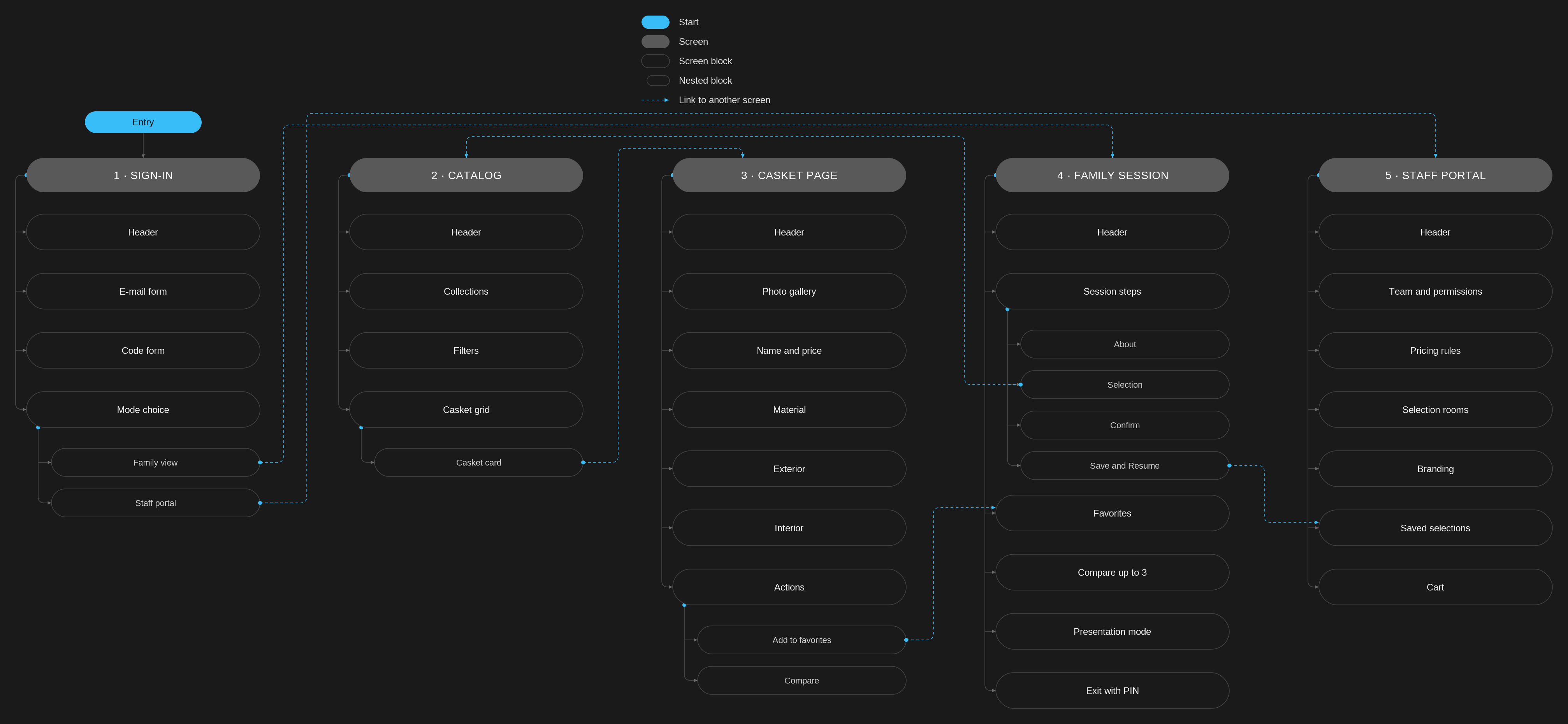
5 main screens from the brief: blocks and names, no details
User Flow
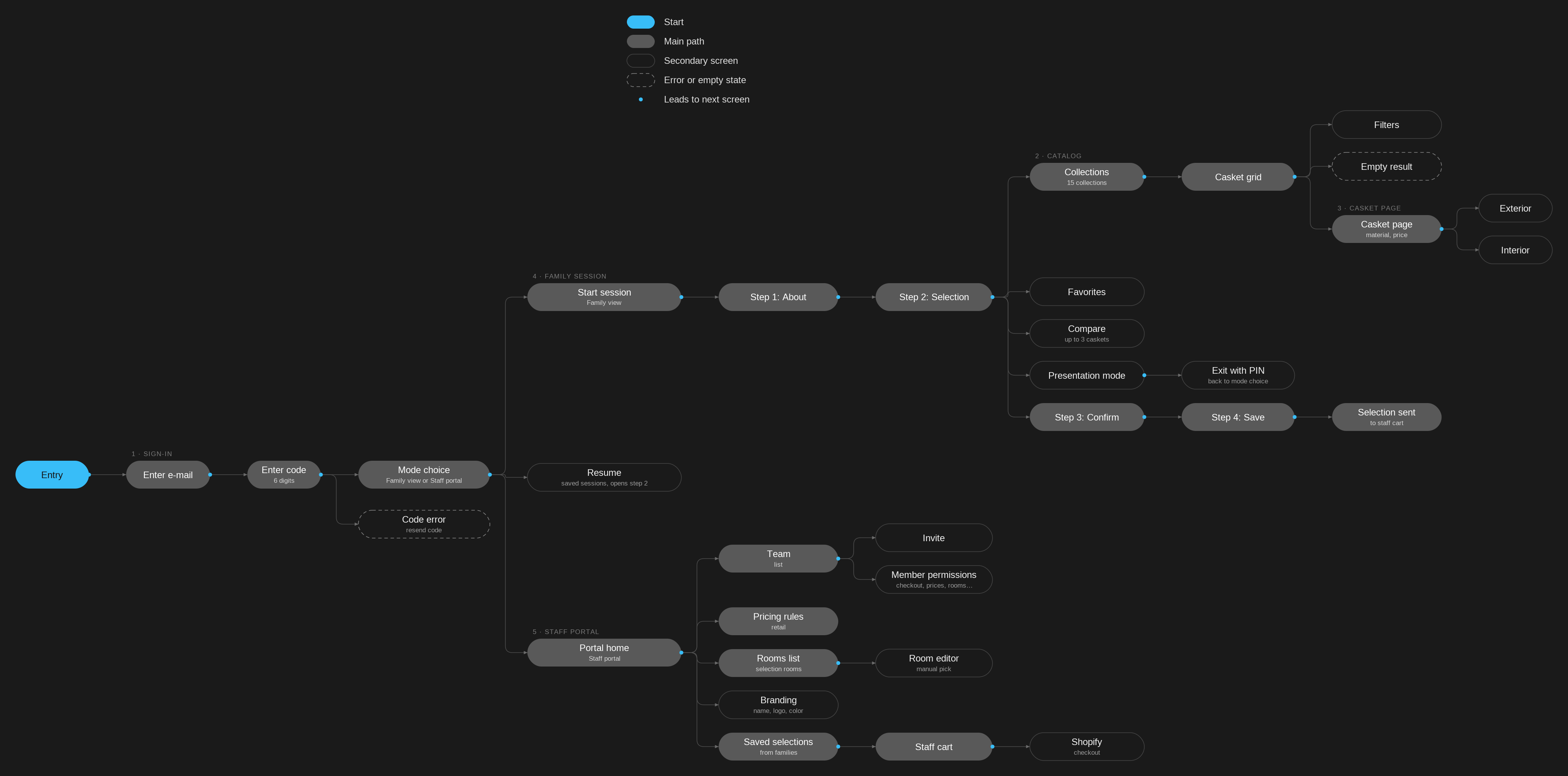
Left to right: sign-in, mode choice, then Family view or Staff portal.
Wireframes · 5 main screens, 32 states and steps
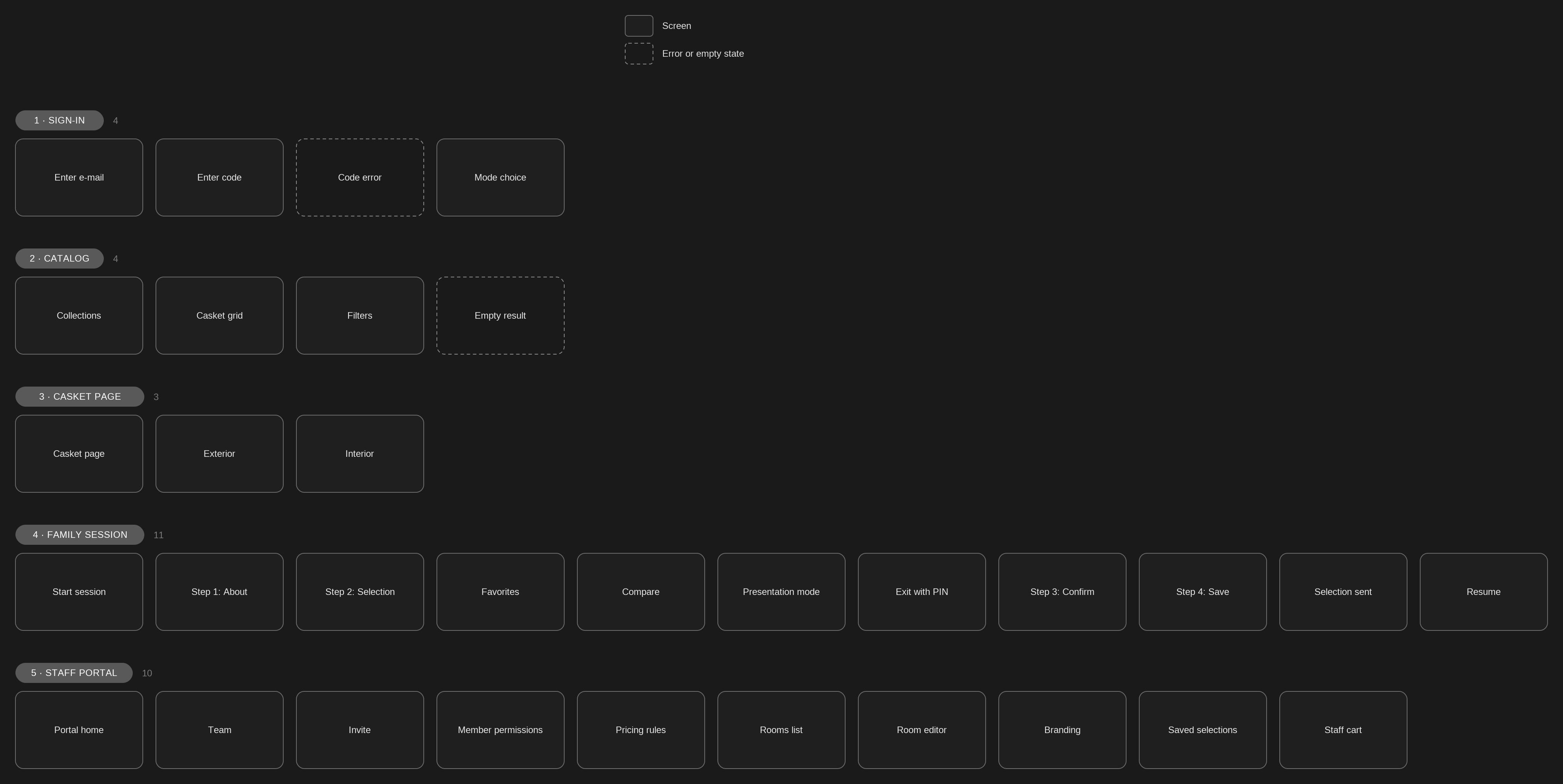
All states and steps from the user flow, grouped by the 5 main screens. iPad, landscape.
Design in Figma directly from the brief
Design hours for the designer only.
Stages, iPad landscape
| Stage | Hours |
|---|---|
| Brief review, flow, list of states | 2–3 |
| Foundations: type, colors, components | 2 |
| Design of the 5 main screens (32 states, iPad) | 16–22 |
| Clickable prototype in Figma | 2–3 |
| Two rounds of client revisions | 4–6 |
| Total, iPad landscape | 26–36 |
Total by scope
| Scope | Hours |
|---|---|
| iPad landscape only | 26–36 |
| + desktop, 5 main screens (32 states) | 30–42 |
Additional options
Optional, on top of the Figma design. A prototype for review, not production code.
| Option | Hours |
|---|---|
| Clickable prototype in HTML code, built from the approved Figma mockups: screen transitions and button clicks, real catalog images from the client, responsive for iPad landscape and desktop | 2–3 |